
Disclosure: This article contains affiliate links. If you click on the links and complete a purchase, I might earn a commission without costing you anything extra.
Is blogging dead?
No, it hasn’t, but starting a blog in 2026 is significantly different from how it worked even a few years ago. Traditional SEO doesn’t work anymore, and those using AI will succeed. You no longer need to waste your time on coding, setting up a website, writing manually, and optimizing for AI-powered search engines.
Today, smart bloggers build their blogs with AI at every step, from choosing a niche to publishing their first post.
Can I start a blog for free and make money?
Blogging is not a sprint; it’s a marathon. You have to be patient, determined, and keep learning from your mistakes. This guide, “Starting a blog in 2026 using AI,” explains which AI tools to use and why, so you can launch your blog easily with Deasily.
Table of Contents
9 Steps For How To Start a Blog For Free
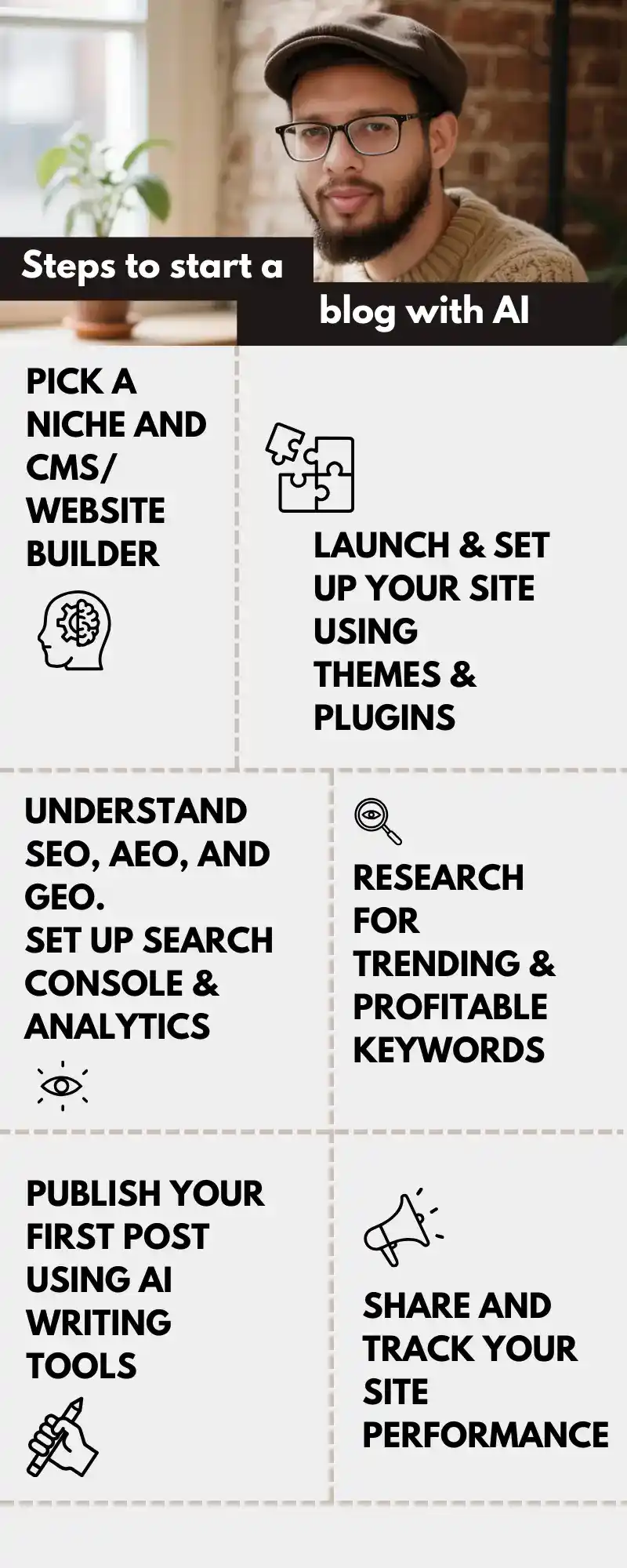
Step 1: Choose a Profitable Blog Niche Before Starting a Blog in 2026
The biggest mistake new bloggers make is choosing a niche emotionally or as a passion instead of trending & profitable strategies. AI chatbots and tools can help research niches and decide which one to choose
Recommended AI tools:
- WriterZen – Search for topics and keywords based on the target country location.
- Exploding Topics – Powered by Semrush, this tool helps identify growing topics before they become saturated.
- LowFruits – Find low-competition keywords beginners can rank for
How to use AI for choosing a niche/topic?
- 1 main niche
- 3-5 content categories
- Setting a target audience
This ensures you start a blog with a trending niche that people are actually searching for.
Step 2: Build Your Blog Website Using AI
You don’t need to design a website from scratch anymore. AI website builders and AI-assisted platforms let you launch a blog in hours instead of days.
Recommended AI tools:
- 10Web – Build WordPress sites automatically using AI.
- Hostinger Horizons – Build apps faster, no coding required.
How to use AI for setting up a blog/site?
- Generate site layout
- Create core pages (Home, Blog, About, Contact, Privacy Policy, etc.)
- Optimize mobile responsiveness, fonts, themes, colors, etc.
Step 3: Set Up AI SEO Tools Before Writing Any Content
SEO is still the backbone of search engine visibility, but has evolved into AEO (answer engine optimization).
AI SEO tools now guide you in real time, even if you’re a complete beginner.
Recommended AI tools:
- Rank Math – For WordPress users, I recommend the Rank Math SEO plugin. The plugin helps with both on-page optimization and content optimization.
How to use AI for SEO?
- Keyword suggestions and optimization,
- Meta titles and descriptions,
- Internal linking suggestions, and
- Content structure.
AI tools for SEO eliminate the guesswork and increase productivity by 3x.
Step 4: Planning Your First Blog Post Using AI
Many bloggers make the mistake of jumping directly to writing a post. (Even I did this 6 years ago.) But I don’t want you to make the same mistake.
Leveraging AI for writing ideas helps you understand what to write and how to structure it. Thus, it saves your time from publishing garbage articles.
Recommended AI tools:
- ChatGPT – Generate outlines and FAQs.
- AnswerThePublic– Find question-based topics.
- Google Trends – Find any keyword or topic trending on Google for a week, a month, or a year.
How to use AI for Blog Post Planning?
- Get blog title recommendations.
- A logical outline and content structure.
- Supporting subheadings.
- FAQ sections.
Step 5: Write the Blog Post Faster Using AI
AI writing tools don’t replace your voice; they remove friction.
The best blogs in 2026 follow a human + AI workflow.
Recommended AI tools:
- Jasper, Writesonic, Copy.ai – For generating long-form and SEO-friendly articles.
- Rank Math Content AI – For generating blog titles, meta descriptions, and complete articles within the WordPress dashboard.
How to use AI for Blog Post Publishing?
- Draft sections
- Expand ideas
- Improve clarity
Then proofread and manually edit with:
- Personal experience (Google’s E-EAT signals).
- Screenshots, Testimonials, Examples.
- Trust and Originality.
Step 6: Optimize On-Page SEO Using AI (Before Publishing)
Now refine your article so search engines understand it clearly.
Recommended AI tools:
- Rank Math – On-page SEO scoring and optimization
- Surfer SEO – Keyword usage and content depth checks
How to use AI for On-page SEO?
- Optimize meta title and description.
- Improve heading structure.
- Internal link suggestions.
- Fix missing SEO elements.
Step 7: Create Blog Images and Videos Using AI
Blogs with visuals perform better, and AI removes the design barrier.
Recommended AI tools:
- Gemini Nano Banana Pro – Text to high-quality images using text prompts.
- Vidnoz – Headshots, Talking avatars, etc.
- FlexClip – A free alternative to CapCut; no VPN is needed.
How to use AI for Images and Videos?
- Create a featured image and section visuals.
- Create short reels for social media promotion and tutorial videos on YouTube.
- Creating Infographics and statistical images.
Step 8: Publish Your First Blog Post
Why hesitate when AI has already helped you achieve at every stage?
AI has already helped you to choose a topic, write the content, optimize your site for on-page SEO, and create graphics.
Recommended AI tools:
- WordPress – The World’s best free CMS for content management with free AI plugins to automate tasks like redirection, backup, etc.
- Grammarly – Use the free version and install the Chrome extension. Grammarly will automatically find grammatical errors when working inside WordPress.
As you sow, so shall you reap. Planting a tree today will eventually grow by taking care of it.
So hit Publish and create your existence on search engines, perfection will come over time.
Step 9: Improve and Grow Your Blog Using AI
Publishing is just one chapter of your blogging journey. Once you publish a post, you need to keep tracking its performance. Don’t worry, Google has its free AI tools.
Recommended AI tools:
- Google Search Console – Track traffic, behavior, insights, achievements, and more. Filter results using AI.
- Site Kit by Google – Free WordPress plugin by Google to track site performance inside WordPress.
How to use AI for performance measurement?
- Update existing posts with the latest information.
- Targeting a specific location.
- Monitor keyword rankings.
A Simple AI Blogging Stack for Beginners
Here’s all you really need:
- Niche & ideas → ChatGPT, Exploding Topics, WriterZen
- Website → WordPress, 10Web
- SEO → Rank Math
- Writing → Jasper, Writesonic, Copyai.
- Visuals → Gemini, FlexClip, Vidnoz.
No brainstorming, no confusion, smart systems that work together.
Conclusion
Starting a blog in 2026 is no longer about:
- Doing everything manually.
- Learning to Code.
- Brainstorming ideas for hours.
It’s about:
- Leveraging AI from the beginning to the end.
- Making smarter decisions.
The best platform to start a blog for free is either Blogger or WordPress. Users can leverage AI and save time by starting a blog on WordPress.
FAQs | How to Start a Blog in 2026?
Should I use AI to start blogging?
AI is no longer optional. If you want to achieve optimum results faster, you should leverage AI to the fullest.
Which is the best AI tool for blogging?
The best AI to start blogging is WordPress, which is still open-source and used by more than 40% of the total websites.
Which is the best SEO plugin?
Rank Math is the best WordPress SEO plugin. The plugin has a free + pro version with free Content AI credits every month.
Which is the best hosting in 2026?
I recommend BlueHost WordPress Hosting or Hostinger Cloud Hosting.
Is there a free tool for keyword research by Google?
Yes, you can use Google Keyword Manager and Google Trends to research keywords and topics.
How to start a blog on Substack?
Anyone can start blogging on Substack for free. Simply create an account and start publishing articles, images, and videos. Substack is the best Blogger alternative.
How to start a Tumblr blog?
Tumblr is a free blogging platform that lets you engage with a vast audience. It is another free alternative to Blogger.
Should I start a blog or YouTube channel?
If you are an extrovert, you should start a YouTube channel. Those who are shy in front of the camera should start a blog with WordPress.